Linux & Steam Deck guide
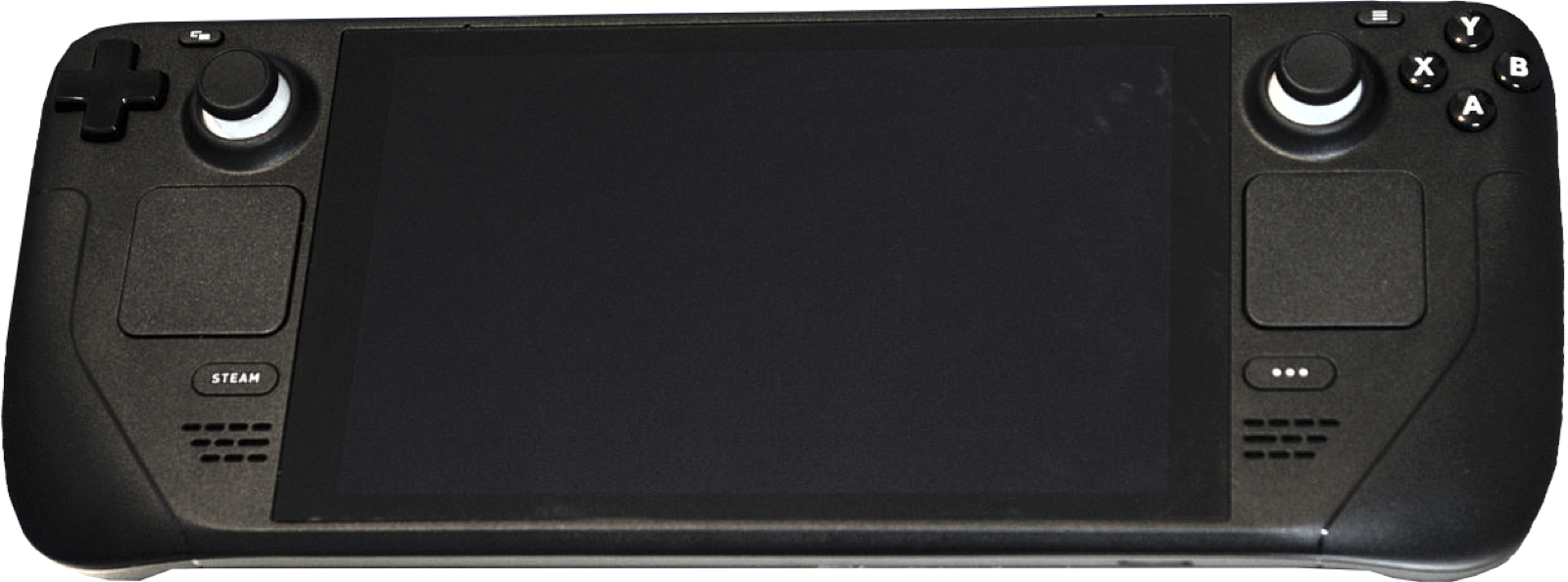
Complete setup guide for NinjaGaiden2-x86_64.AppImage (90.5 MB) on SteamOS, Ubuntu/Fedora/Arch desktops, and ARM64 Linux handhelds.
- AppImage: 90.5 MB
- Glibc: 2.35+ (SteamOS ready)
- Deck FPS: 60.0 avg (57.4 1% low)
- Deck power: 10 W
Linux & Steam Deck AppImage quick start (v0.5.67)
Release v0.5.67 provides NinjaGaiden2-x86_64.AppImage (90.5 MB, SHA-256 7b66e77df8ccc358…) built for 64-bit Linux distributions with glibc 2.35+ (SteamOS, Ubuntu 22.04+, Debian 12+, Fedora 36+) and Python 3. It bundles its own FFmpeg build for in-game movie codecs:
chmod +x NinjaGaiden2-x86_64.AppImage
./NinjaGaiden2-x86_64.AppImage
Step-by-step Steam Deck setup (Desktop Mode → Game Mode)
- Switch your Steam Deck to Desktop Mode and download
NinjaGaiden2-x86_64.AppImagefrom Download & SHA-256. - Right-click
NinjaGaiden2-x86_64.AppImage> Properties > Permissions > check Allow executing (or runchmod +xin Konsole). - Run the AppImage once in Desktop Mode. The first-start wizard uses
kdialog(pre-installed on SteamOS and KDE; falls back toqarma,zenity, or terminal prompts on GNOME/Xfce) to ask:- Whether to keep everything next to the AppImage in Portable Mode (ideal if you placed the AppImage on a microSD card).
- Where your World copy of Ninja Gaiden II (
544307D5ISO, Games on Demand package, or extracted folder) is located. - Where your Title Update 3 file (
TU_1A461UL_000000G000000.00000000000O4ordefault.xexp) and optional DLC folder are located.
- Open Desktop Steam, click Add a Game > Add a Non-Steam Game, and select
NinjaGaiden2-x86_64.AppImage. - Return to Game Mode, launch the game, and open RECOMP SETTINGS > Display > Aspect Ratio to select 16:10 so 3D gameplay fills the 1280×800 / 1920×1200 Steam Deck display.
Why Steam Deck Game Mode (gamescope) uses Timer pacing
- 60.0 FPS at 10 W battery draw: At the default
1xrender scale on a Steam Deck LCD,gamboozino/ng2recompaverages 60.0 FPS (57.4 FPS 1% low, 55.5 FPS 0.1% low, 0 frames over 20 ms) while drawing only 10 W for the entire Deck: less than half the 22 W draw of Xenia Edge. - Automatic gamescope frame pacing protection: Under Steam Deck Game Mode (and any Linux session running through
gamescope),Frame Pacing: Autoautomatically acts asTimerandInput Latency: Lowacts asStandard, because upstream testing found thatgamescope’s present-wait behavior otherwise paired frames unevenly.
Linux file paths & ARM64 Linux handheld build (AYN Odin 3 Ultra)
| Path / Variable | Purpose |
|---|---|
~/.local/share/ng2-recomp | Default Linux directory storing the installed game files, save data, mods/ folder, and ng2.log. |
~/.config/ng2-recomp | Stores ng2.toml (settings and chosen game folder) and ng2-pipelines.bin (recorded Vulkan pipeline list). |
portable.txt → userdata/ | Create an empty portable.txt next to the AppImage (for example on a microSD card) to keep all game data, saves, mods and settings inside userdata/ beside the AppImage. |
NG2_GAME_DIR | Environment variable that overrides the remembered game directory path on Linux. |
For 64-bit ARM Linux handhelds running Ubuntu 24.04+ (glibc 2.39+, such as Armada on the AYN Odin 3 Ultra), run packaging/aarch64/build.sh after completing a native Linux x86_64 source build. It cross-compiles the ReXGlue SDK, FFmpeg 9.0.2, and ng2 into out/aarch64-dist: copy that folder to your ARM64 device, place your extracted game + Title Update 3 default.xexp in game_files/ (and DLC in game_files/dlc/), and run ./ng2.
Recommended PC controllers
Ninja Gaiden II Recompiled supports Xbox, PlayStation and Nintendo controllers with native Xelu button prompts (plus low-latency VK_KHR_present_wait input mode):
| Controller | Best For in Ninja Gaiden II Recomp | Hardware Advantage | Link |
|---|---|---|---|
| Xbox Wireless Controller | Original Xbox 360 layout & prompts | Native XInput mapping matching the 2008 Xbox 360 combat layout | View on Amazon |
| GameSir Cyclone 2 | 1000 Hz Master Ninja precision | TMR sticks, micro-switch face buttons and 1000 Hz wireless dongle | View on Amazon |
| Sony DualSense | PlayStation button prompts | Automatic PlayStation button prompt switching and crisp D-pad | View on Amazon |
| 8BitDo Ultimate 2 Wireless | Windows & SteamOS dock play | Zero-drift TMR sticks, charging dock and rear macro paddles | View on Amazon |
As an Amazon Associate, this site earns from qualifying purchases.
Common questions
What if my Linux desktop does not have kdialog, qarma, or zenity installed?
Run ./NinjaGaiden2-x86_64.AppImage from a terminal window: when no GUI dialog helper is detected, the first-start installer interactively asks for your game path, Title Update 3, and DLC directly in the terminal.
How do I update the AppImage when a new release comes out?
Download the new NinjaGaiden2-x86_64.AppImage from GitHub Releases (or apply a delta update using NinjaGaiden2-x86_64.AppImage.zsync) and replace the old AppImage file. Your installed game, saves, mods, and ng2.toml settings remain untouched.